

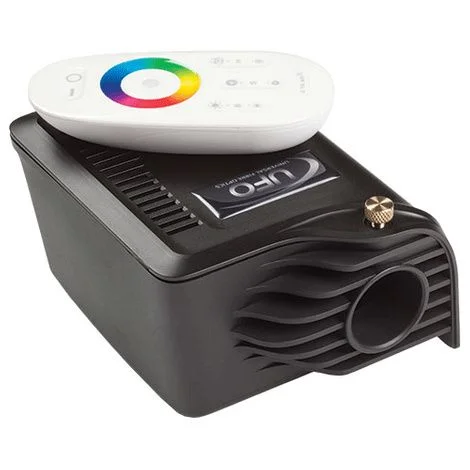
Description
Universal Fiber Optic MicroLED 4000 LED Illuminator is an advanced RF remote control which features a multi-color touch wheel allowing the user to instantly switch to almost any color imaginable. It also features DMX master/slave synchronization and the ability to control more than one unit with the same remote control. The fully controllable Master version of the Illuminator, It offers a Slave version which can be daisy-chained, via DMX cables, to Master units and will follow the same commands.
Universal Fiber Optic MicroLED 4000 LED Features
- Universal Fiber Optic MicroLED 4000 Illuminator is a powerful and efficient fiber optic illuminator powered by LED technology
- Suitable for use in multiple applications including
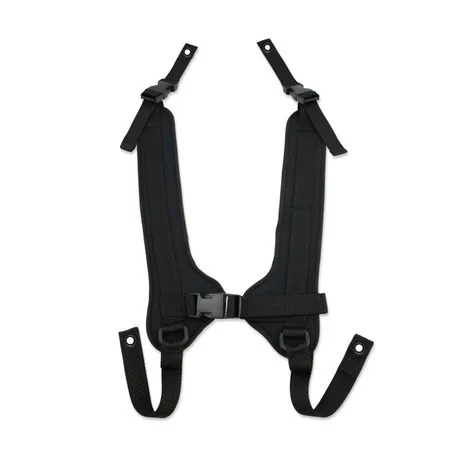
– Sensory harnesses and systems
– Color change downlight systems
– Color change sparkle ceiling
– Fiber optic side glow illumination
Instructions For MicroLED 4000 LED Illuminator
Installation
Power Supply Requirements
- The LED Illuminator is powered from a multi-function, multi-voltage, desktop Power Supply Unit. Remove the SW4047B Desk Top PSU from its box. This PSU is a multi-plug device catering for UK, European and USA plugs.
- The plug can be removed by squeezing together the plastic retaining lugs and sliding the plug back out.
- Connect the jack plug into the socket in the back, and the illuminator is now ready for connection.
- Note – DO NOT FIT BATTERIES TO THE REMOTE CONTROL UNTIL YOU HAVE FULLY READ THE INSTRUCTIONS
Connections
- There are 2 connections required – the fiber port and the mains supply. The fiber port should be connected first. Connect and secure the fiber optic connector into the front of the unit and secure using the M5 locking screw
- Plug the mains plug into the electrical supply socket. Switch on power the led Indicator will illuminate and the illuminator will start up automatically.
Batteries
- The LED Illuminator will be powered up, then remove the rear cover on Remote Controller. Taking care not to touch any of the front cover buttons, insert the batteries. If you touch the remote control buttons when inserting the batteries it WILL affect the operation of your Remote Control. If you do accidentally touch any of the buttons, remove the batteries and start again. Once the batteries are inserted do not use the Remote Control for 3 seconds.
- Note – DO NOT TOUCH THE BUTTONS WHILST INSERTING BATTERIES



Reviews
There are no reviews yet.